TaxPower TDS Professional Edition
Manage multiple clients and unlimited TANs, prepare regular and correction returns, review filing issues and handle key challan and TRACES-related workflows from one organised TDS working system.
Assisted trial for up to 3 TANs.
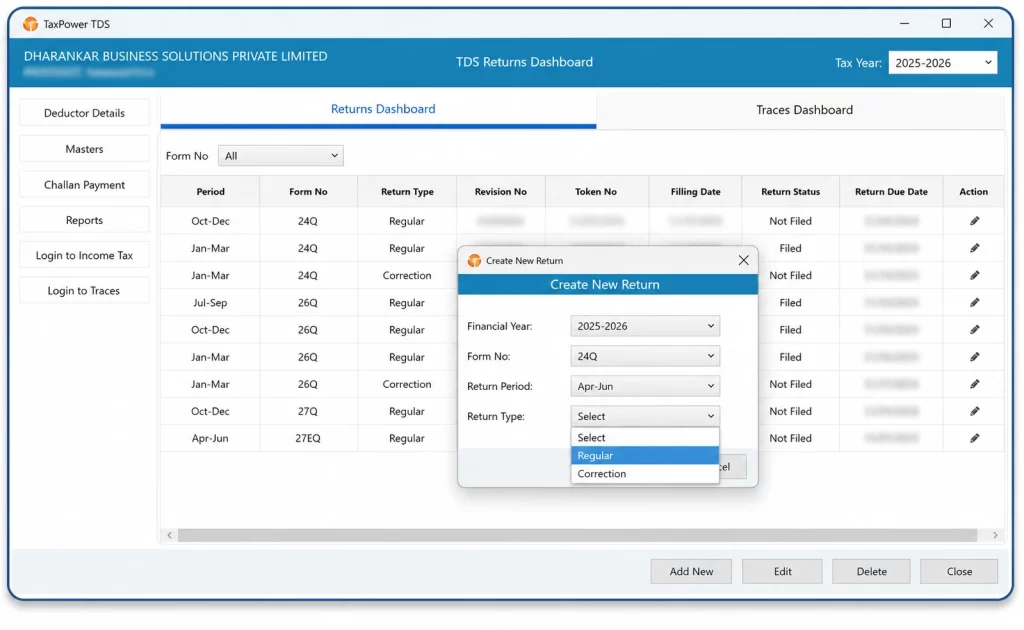
A professional office may be preparing current returns for some clients, handling earlier-period corrections for others and following up on challans, validation messages or TRACES files at the same time.
Managing this work through disconnected spreadsheets, portal records and downloaded files can make it difficult to track the correct client, TAN, financial year and return stage.
TaxPower TDS Professional Edition brings key TDS/TCS workflows into one organised working system for:
A professional office may be preparing current returns for some clients at the same time as other work.
Handling earlier-period corrections for some clients while others are on the current filing period.
Correction work for already filed returns often runs alongside current-period preparation.
Following up on challans, validation messages or TRACES files at the same time as other work.
It helps the office maintain clearer working visibility across deductors, return periods, correction work, challans and pending follow-up.
TaxPower TDS Professional Edition allows a professional office to manage unlimited TANs within the licensed installation.
Maintain separate deductor records, select the relevant client or TAN and work within the applicable financial year and return period.
Maintain separate records for the deductors and TANs handled by the professional office.
Select the relevant financial year before starting a regular return, correction return or earlier-period workflow.
Open the applicable return workflow according to the selected client, TAN, financial year and return period.
Professional Edition supports unlimited TANs within the licensed installation.
Unlimited TANs do not mean unlimited users. Additional systems require separately licensed client PCs.
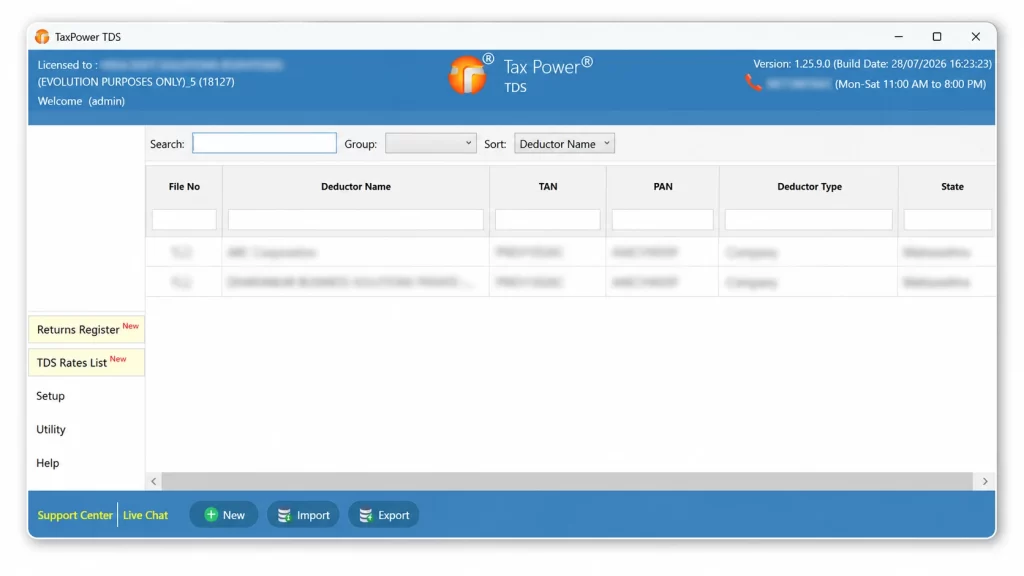
Professional practices often need to manage current filing work and correction requirements from earlier financial years within the same working environment.
TaxPower TDS allows the user to select the relevant financial year and work with the applicable return format and supported workflow.
Prepare the applicable return using deductor, deductee, employee, transaction and challan data maintained in the system. Review the return information and complete the required validation workflow before submission.
Work with supported correction-return workflows where an already filed return needs to be revised. The process may depend on the selected financial year, the original return data available, the required correction, supporting files and applicable validation results.
Select an earlier financial year and work with the return framework available for that period. Original return data may be retrieved or used where available through the supported workflow.
Generate the applicable FVU and review validation messages before proceeding to portal submission. The final return is submitted through the Income Tax portal using the required OTP or DSC authentication.
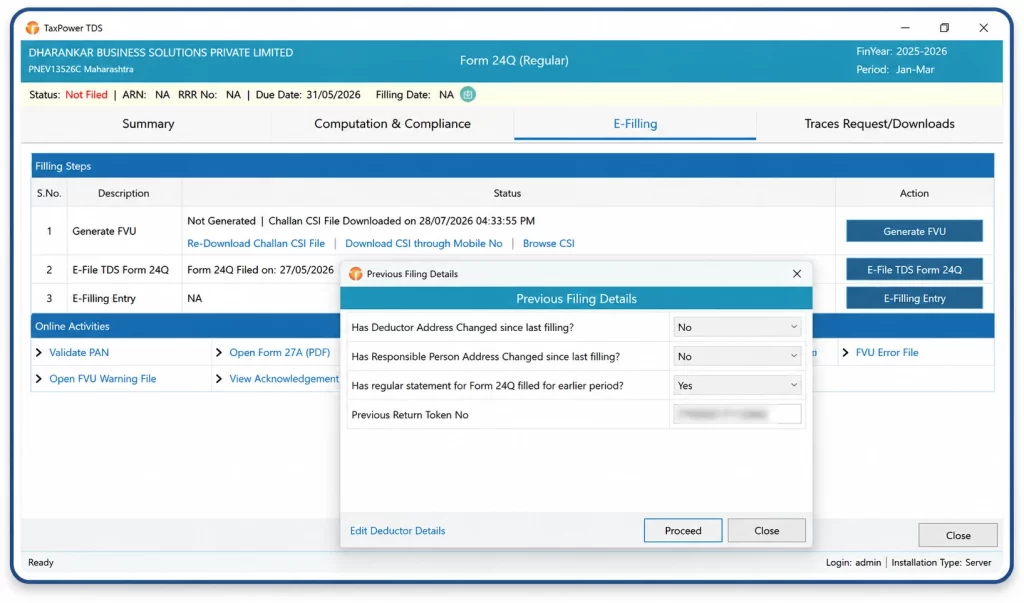
Specific correction requirements can be reviewed with the TaxPower team during the demo or trial setup.
Professional users need to review more than the final return file. PAN details, tax calculations, challan information and validation messages may all require attention before submission.
TaxPower TDS supports checking through:
Review deductee PAN information and identify records that may require correction or further checking.
Generate the applicable FVU and review validation results before proceeding.
Review whether the available deduction and challan information indicates a possible tax shortfall.
Review applicable interest and fee calculations within the relevant return or challan workflow.
Identify challan information that may require mapping, correction or further checking.
Review validation messages and address the relevant data or workflow issue before continuing.
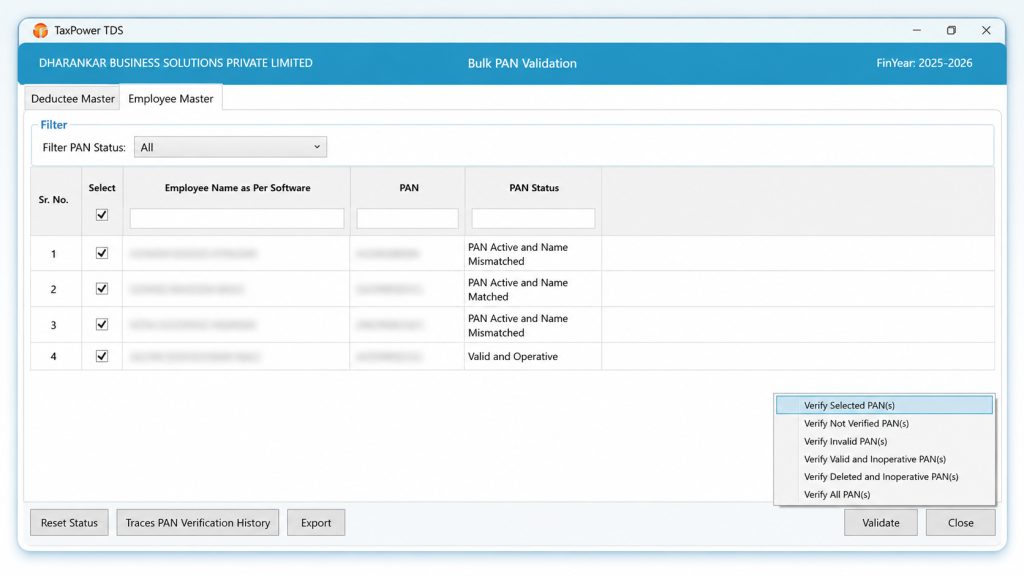
TaxPower TDS supports PAN validation, FVU validation, tax-shortfall review, interest and fee computation, challan mismatch review and validation messages. These checks help users identify matters requiring attention before submission.
Users remain responsible for reviewing return data and completing the required portal authentication before submission.
TaxPower TDS supports the challan workflow from calculation and review through portal payment handoff, CIN update and mapping.
Review available or previously used challans.
Review tax, interest and applicable fees.
Generate the challan workflow.
Open the official Income Tax portal.
Complete payment on the portal.
Update the CIN in TaxPower TDS.
Map the challan to the relevant return data.
TaxPower TDS does not process the bank payment. Payment is completed by the user on the official Income Tax portal.
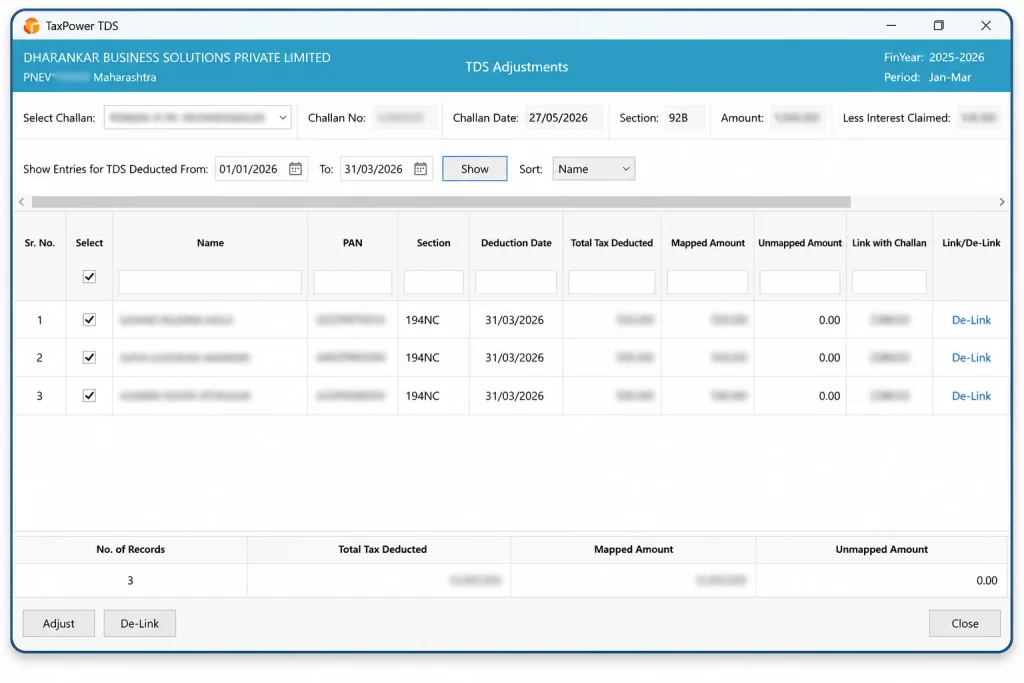
No. It supports challan calculation, portal handoff, CIN update and mapping. The user completes payment on the official portal.
Professional offices may need TRACES records for correction work, demand review, challan verification or certificate-related activities.
Supported workflows may include:
Users raise the relevant request through TaxPower TDS and download the available file through the software once it is ready on TRACES.
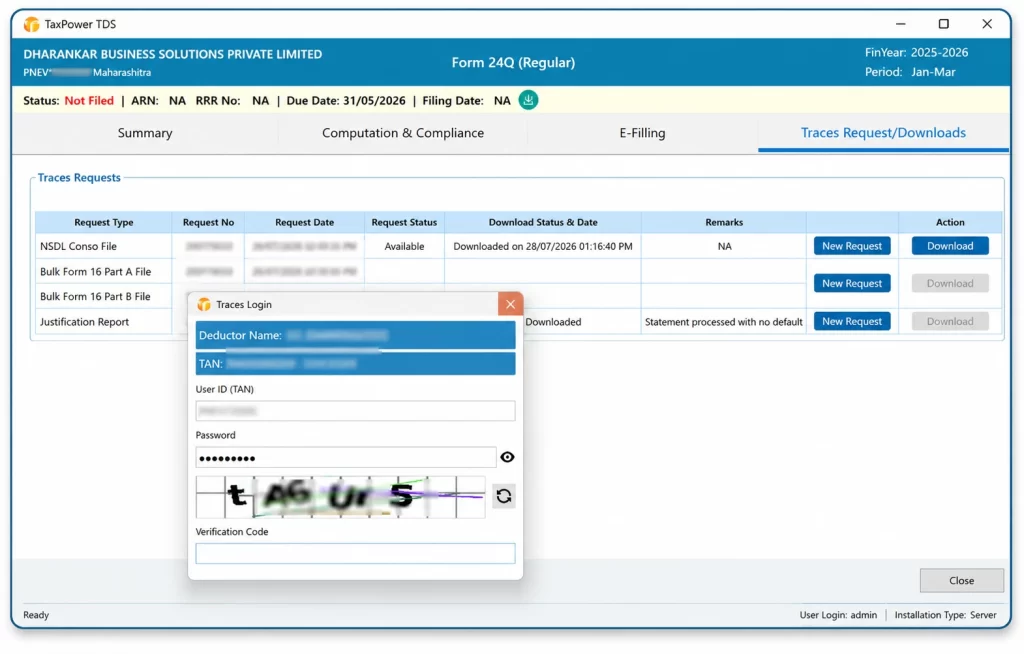
Supported workflows may include bulk PAN verification, outstanding demands, challan details, the TRACES inbox, NSDL Conso files, Justification Reports and applicable bulk certificate files.
TaxPower TDS can be configured for a single professional user or an office where separately licensed systems need access to the same installation.
Start with a server installation and add separately licensed client PCs according to the office requirement.
TaxPower TDS can be configured for:
Core TaxPower TDS data is stored on the PostgreSQL Server configured for the professional firm’s installation. Unlimited TANs do not mean unlimited users; additional systems require separately licensed client PCs.
Internet connectivity is required for portal-linked workflows, activation, verification and applicable online services.
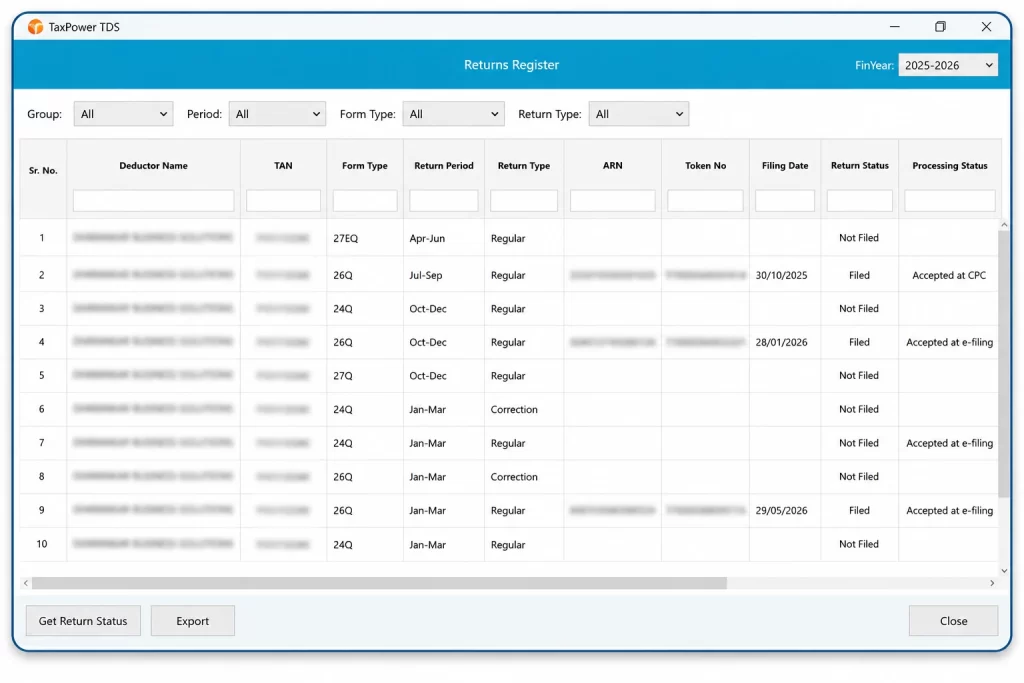
Use available reports and registers to review deductor, deductee, challan and return information. These reports support office review and working visibility but do not replace professional judgement or statutory verification.
Professional firms can evaluate TaxPower TDS through an assisted trial for up to 3 TANs.
The trial is installed and configured with support from the TaxPower team. It is not an unrestricted instant download.
After the trial period expires, the product stops working and asks the user to contact TaxPower.
Additional client-PC licences can be added according to office requirements.
Prices are uniform across India. GST is additional. Online onboarding and training are included. Product updates and support continue with the applicable financial-year renewal.
Professional Edition pricing: intended for professional practices handling client TDS/TCS work. The applicable edition is confirmed according to the actual customer and usage category before quotation and licence activation.
What does TaxPower TDS Professional Edition cost?
Professional Edition costs ₹5,000 plus GST for the initial installation. The financial-year renewal is ₹2,500 plus GST. Each additional client PC costs ₹500 plus GST.
TaxPower customers receive online onboarding, training and remote assistance for supported product workflows.
TaxPower TDS is developed by Magnum Infosystem and marketed, implemented, trained and supported by Dharankar Business Solutions Pvt Ltd.
Users remain responsible for reviewing return data and completing the required portal authentication before submission.
TaxPower TDS Professional Edition is TDS and TCS compliance software for Chartered Accountants, tax practitioners, TDS consultants and compliance firms handling work for multiple clients and TANs.
It is intended for professional firms and practitioners managing TDS/TCS work for several clients, deductors and TANs.
Yes. The Professional Edition allows unlimited TANs to be managed within the licensed installation.
Yes. TaxPower TDS supports regular returns and supported correction-return workflows. The process depends on the financial year, available original data and correction requirement.
Yes. Users can select the relevant earlier financial year and work with the applicable supported return and correction workflow.
Yes. A server installation can be expanded through separately licensed client PCs. Access may be configured through LAN, WAN, VPN or a customer-managed Windows VPS.
Core application data is stored on the PostgreSQL Server configured for the professional firm’s installation. Internet connectivity is used for portal-linked workflows.
The assisted trial includes installation, PostgreSQL and component setup, registration, email and mobile OTP verification, onboarding and evaluation for up to 3 TANs.
No. TaxPower TDS supports challan calculation, portal handoff, CIN update and mapping. The actual payment is completed on the official Income Tax portal.
The initial installation is ₹5,000 plus GST, the financial-year renewal is ₹2,500 plus GST and each additional client PC is ₹500 plus GST.
See how TaxPower TDS Professional Edition can support multiple clients, unlimited TANs, regular and correction returns, validation, challans and TRACES-related workflows in your professional office.
Start with an assisted 90-day trial for up to 3 TANs.
Assisted installation, online onboarding and training are included.