TaxPower TDS Corporate Edition
Manage employee and vendor deductions, regular and correction returns, filing validations, challans and key TRACES-related workflows through one organised system for your finance and accounts team.
Assisted trial for up to 3 TANs.
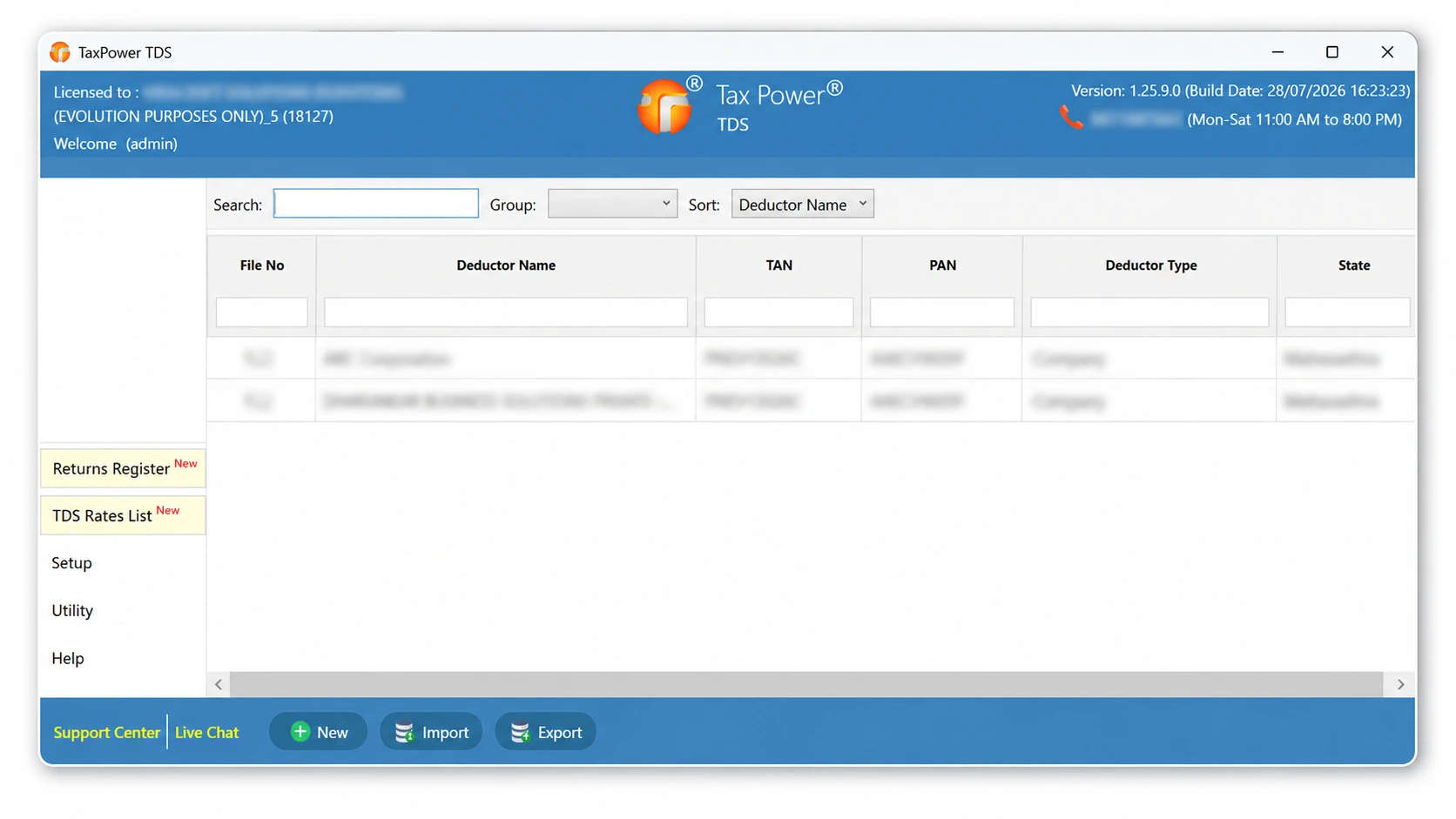
An organisation’s TDS work can involve employee salary TDS, vendor and contractor deductions, multiple return periods, challans, validations, corrections and TRACES-related follow-up. TaxPower TDS brings these connected activities into one organised working environment.
Work with employee salary details, applicable exemptions and deductions, TDS liability and the related Form 24Q workflow.
Maintain the deductee and transaction information required for applicable vendor and contractor TDS work.
Review challan information, possible shortfalls and validation messages before submission.
Work with regular returns and supported correction workflows for current and earlier financial years.
Configure TaxPower TDS according to the organisation’s standalone or multi-user working requirements.
TaxPower TDS Corporate Edition supports employee-level Form 24Q salary computation together with vendor and contractor deduction workflows.
TaxPower TDS supports employee salary computation for Form 24Q, including salary components, exemptions, Chapter VI-A deductions and TDS liability under the applicable Old or New Tax Regime.
Salary income components, allowances and applicable exemptions.
Perquisites, profit in lieu of salary and applicable other income.
Work with relevant deductions used in the employee salary computation.
Review taxable income, tax liability, rebate, surcharge and cess where applicable.
Select the applicable tax regime within the employee Form 24Q workflow.
Review TDS deducted and the resulting tax payable or refundable position.
From employee salary details and applicable deductions to TDS liability, return preparation and validation, TaxPower TDS supports the organisation’s Form 24Q working process in one system.
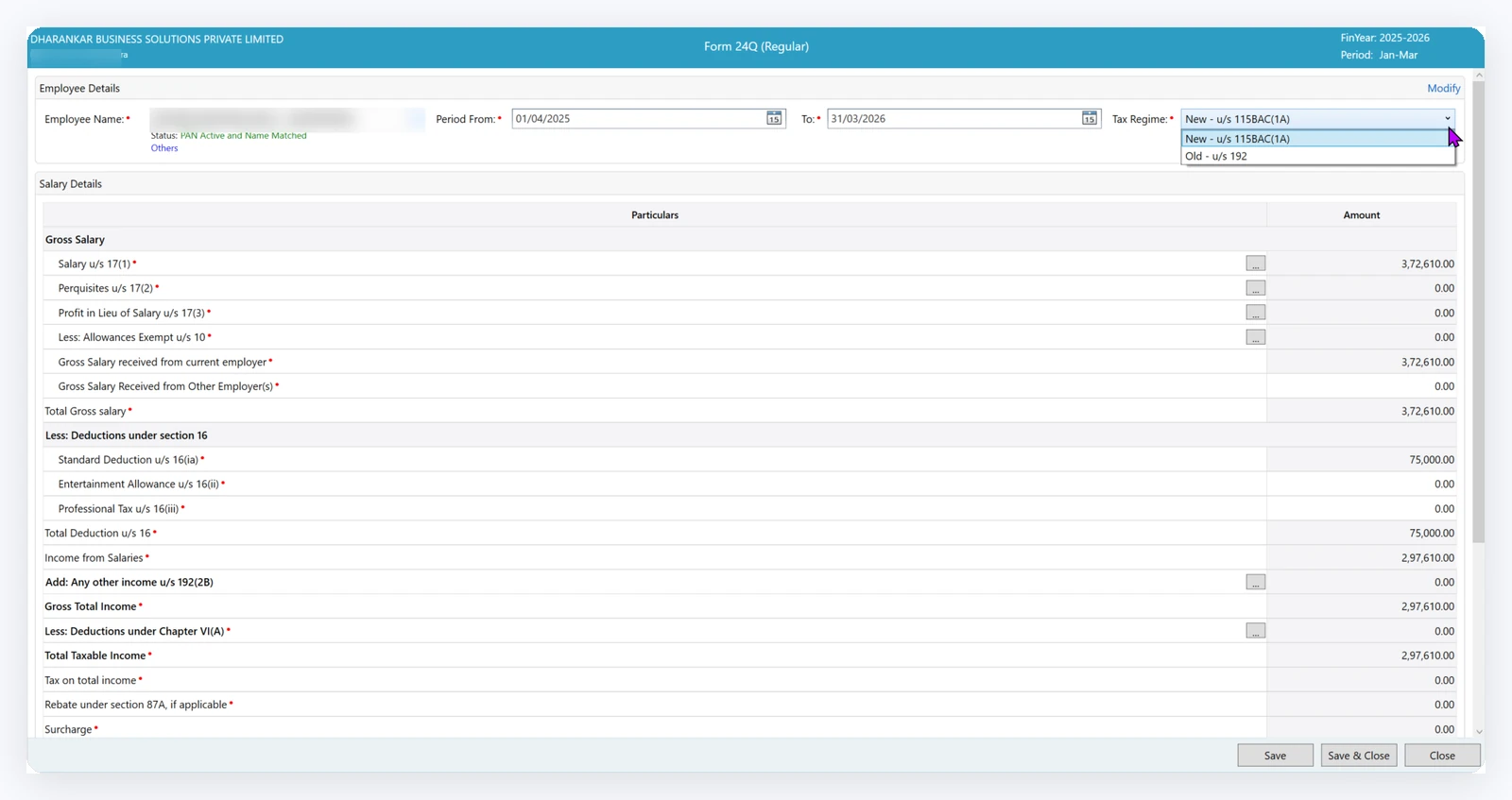
Employee salary computation for Form 24Q
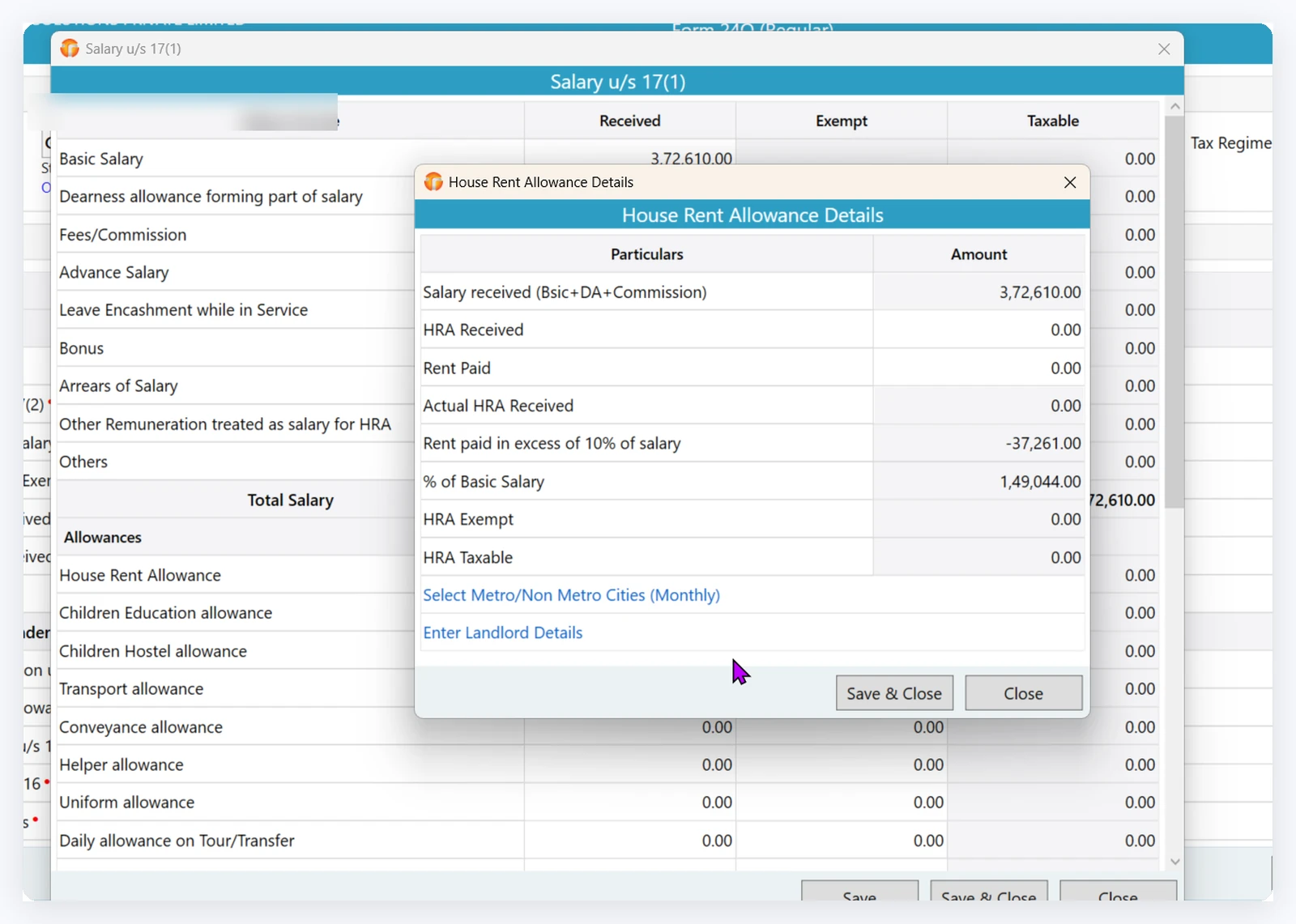
HRA exemption and taxable-value working
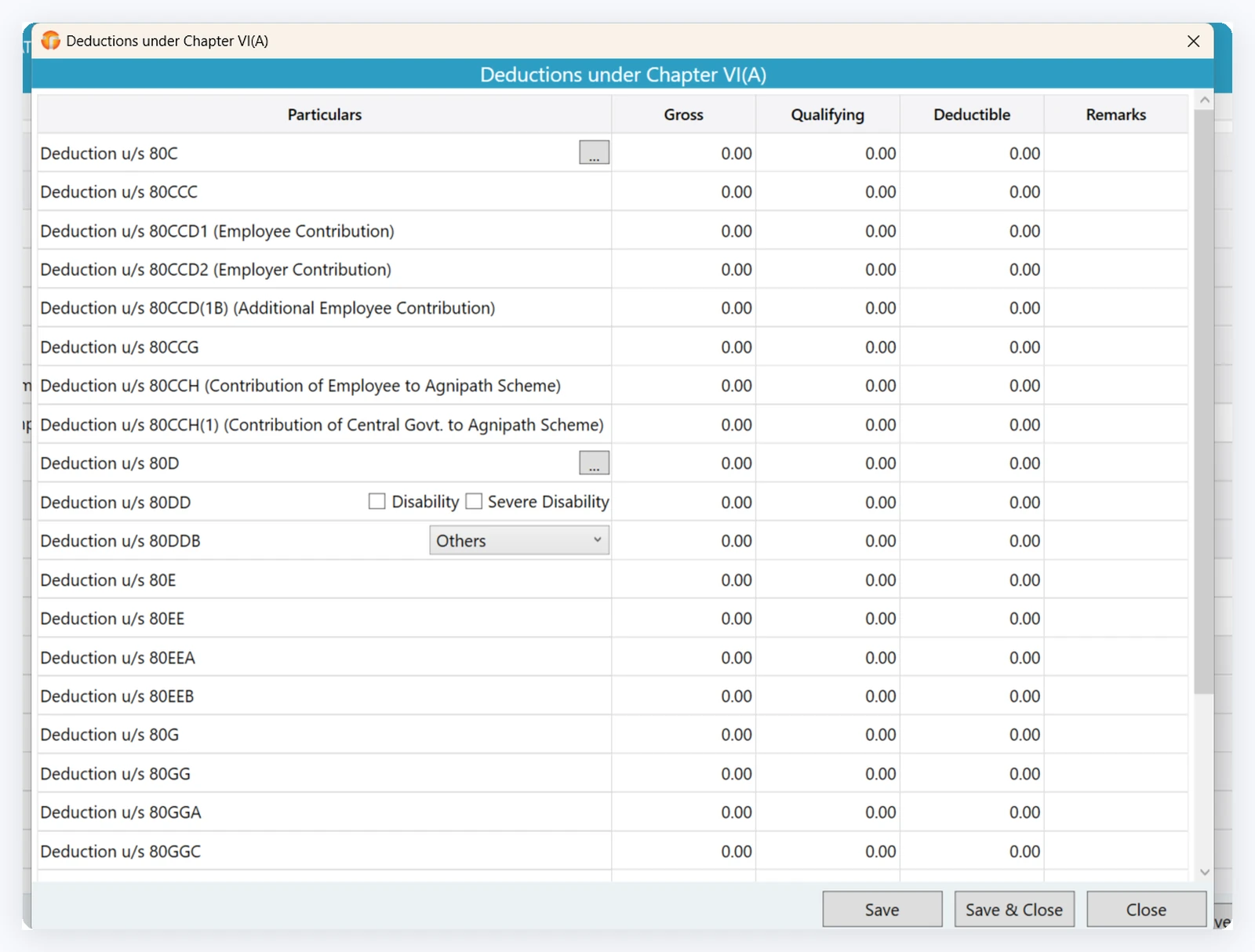
Chapter VI-A deduction working
Maintain vendor or deductee details, section-wise deduction information and relevant challans. Use this information for return preparation, validation and supported correction workflows.
Maintain the information required for applicable vendor and contractor TDS work.
Work with section-wise deduction details and the relevant challan information.
Use the available data for return preparation, validation and supported correction workflows.
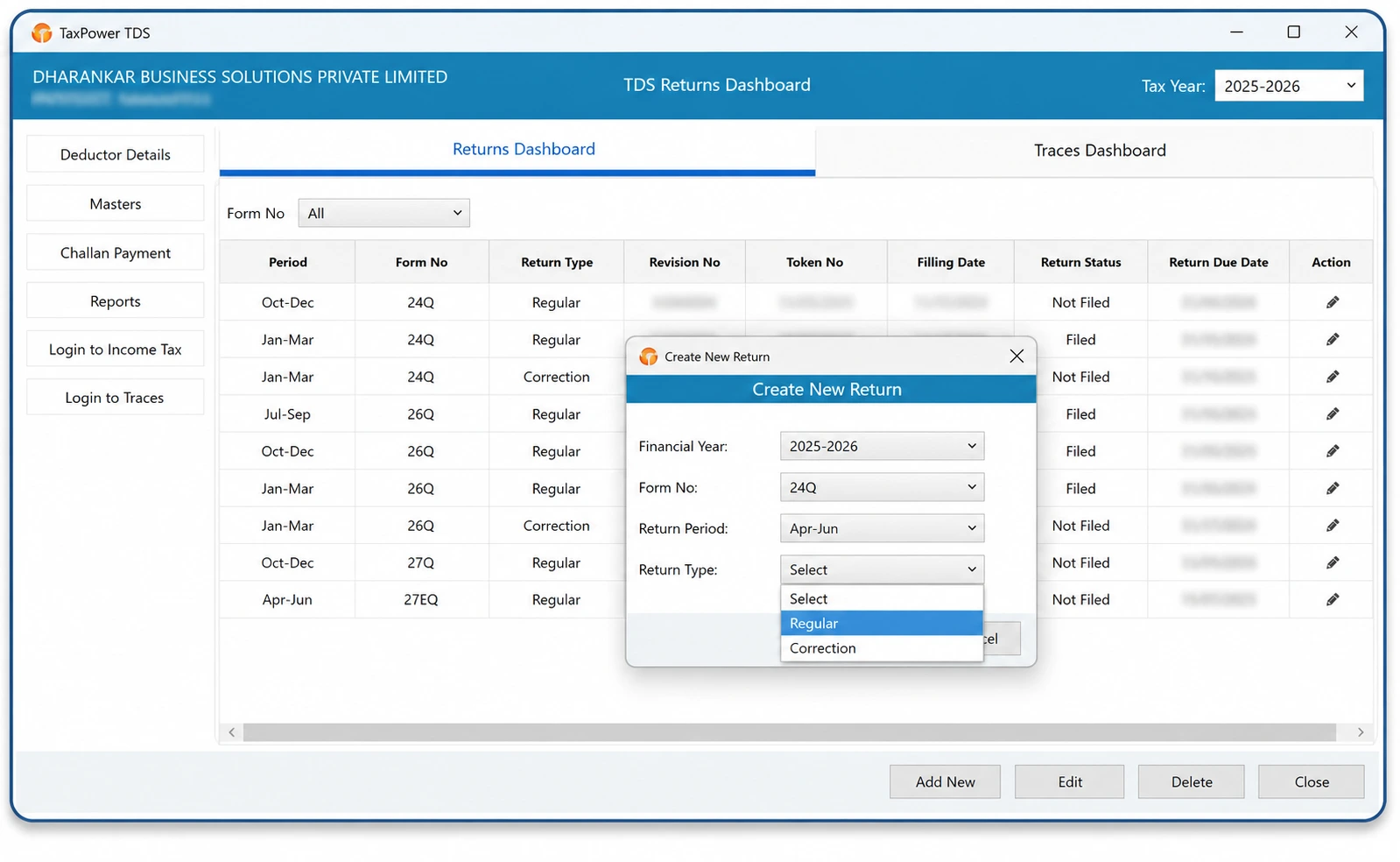
Vendor and contractor return working
Returns and corrections
TaxPower TDS allows users to select the relevant TAN and financial year before opening the applicable regular or supported correction-return workflow.
Start with the right context. Select the relevant organisation or TAN, financial year and return period before proceeding with the applicable workflow.
Open the organisational record and TAN connected with the return.
Choose the financial year relevant to current or earlier-period work.
Open the applicable regular or supported correction-return workflow.
Work with available deductor, deductee, transaction, challan or original return information.
Update the relevant information within the supported correction workflow.
Check validation messages, possible tax shortfalls, interest, fees and challan information.
Generate the applicable FVU and review its validation results.
Complete the required OTP or DSC authentication and submit through the official Income Tax portal.
Review the selected period, available return data, supported corrections and FVU validation results before completing the final portal submission.
Specific correction requirements can be reviewed with the TaxPower team during the demo or trial setup.
Return preparation and correction workflow
Filing review
TaxPower TDS supports checking and review before the final filing process.
Review PAN information and FVU validation results to identify records or messages requiring attention.
Review whether the available deduction and challan information indicates a possible tax shortfall, interest or applicable fee.
Identify challan information that may require updating, correction or mapping.
Review validation messages and make the required changes before proceeding with submission.
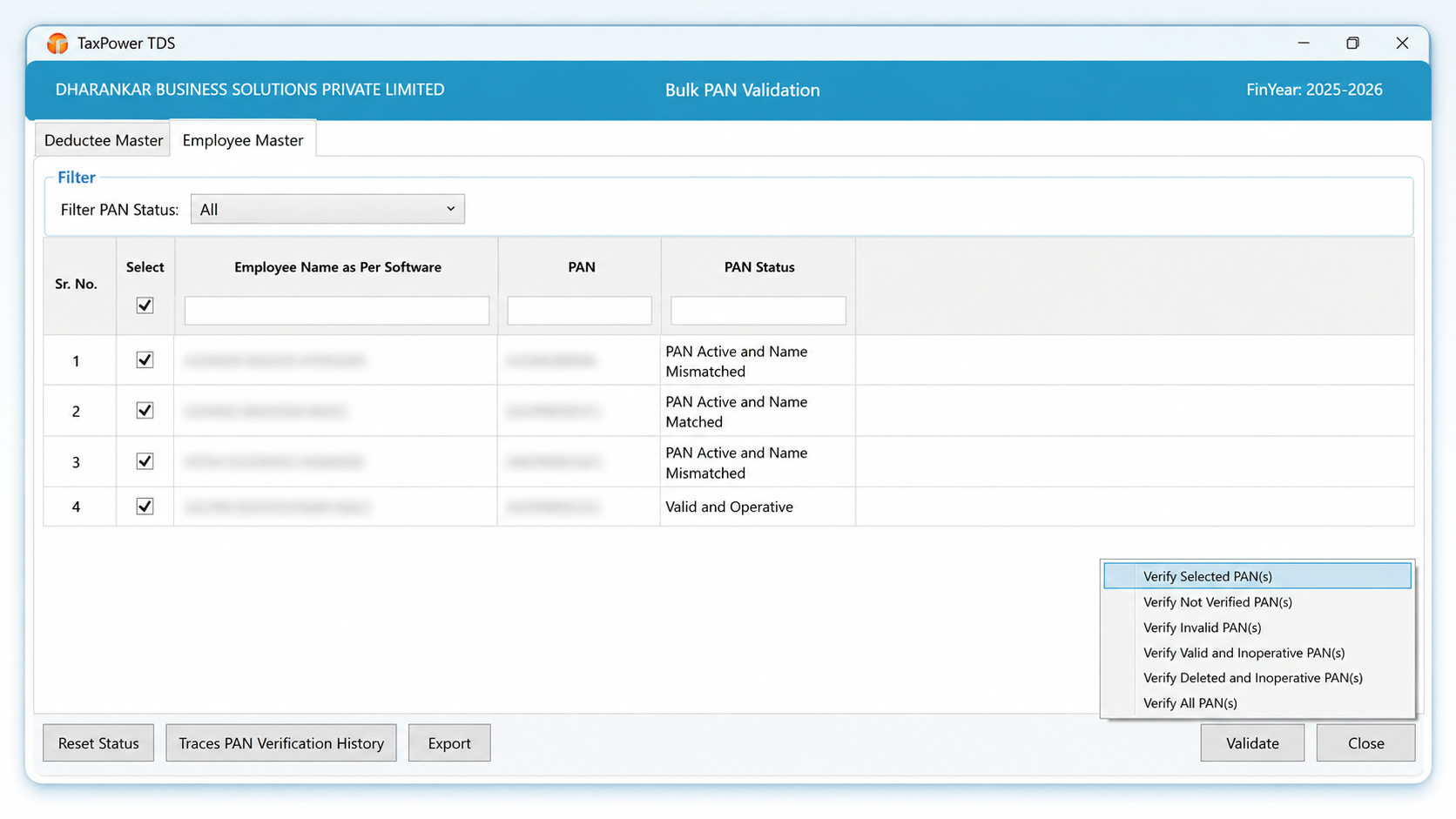
Bulk PAN validation and review
Challans and TRACES
TaxPower TDS supports the challan workflow from calculation and review through portal payment handoff, CIN update and mapping.
Review available or previously used challans.
Review tax, interest and applicable fees.
Generate the challan workflow.
Open the official Income Tax portal.
Complete payment on the official portal.
Update the CIN in TaxPower TDS.
Map the challan to the relevant return data.
Payment is completed by the user on the official Income Tax portal. TaxPower TDS supports the related calculation, portal handoff, CIN update and mapping workflow.
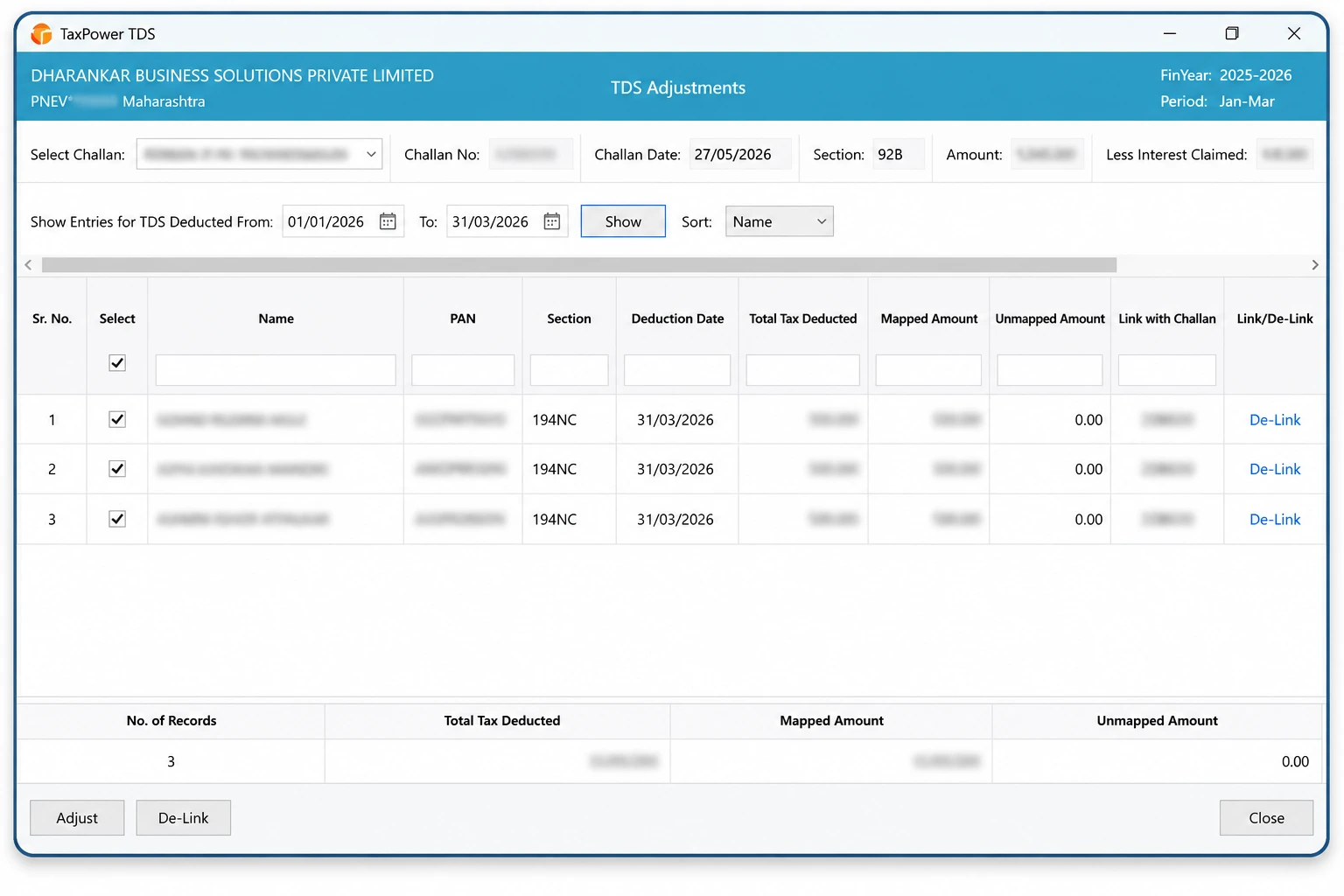
Challan amount mapping workflow
Users raise the relevant request through TaxPower TDS and download the available file through the software once it is ready on TRACES.
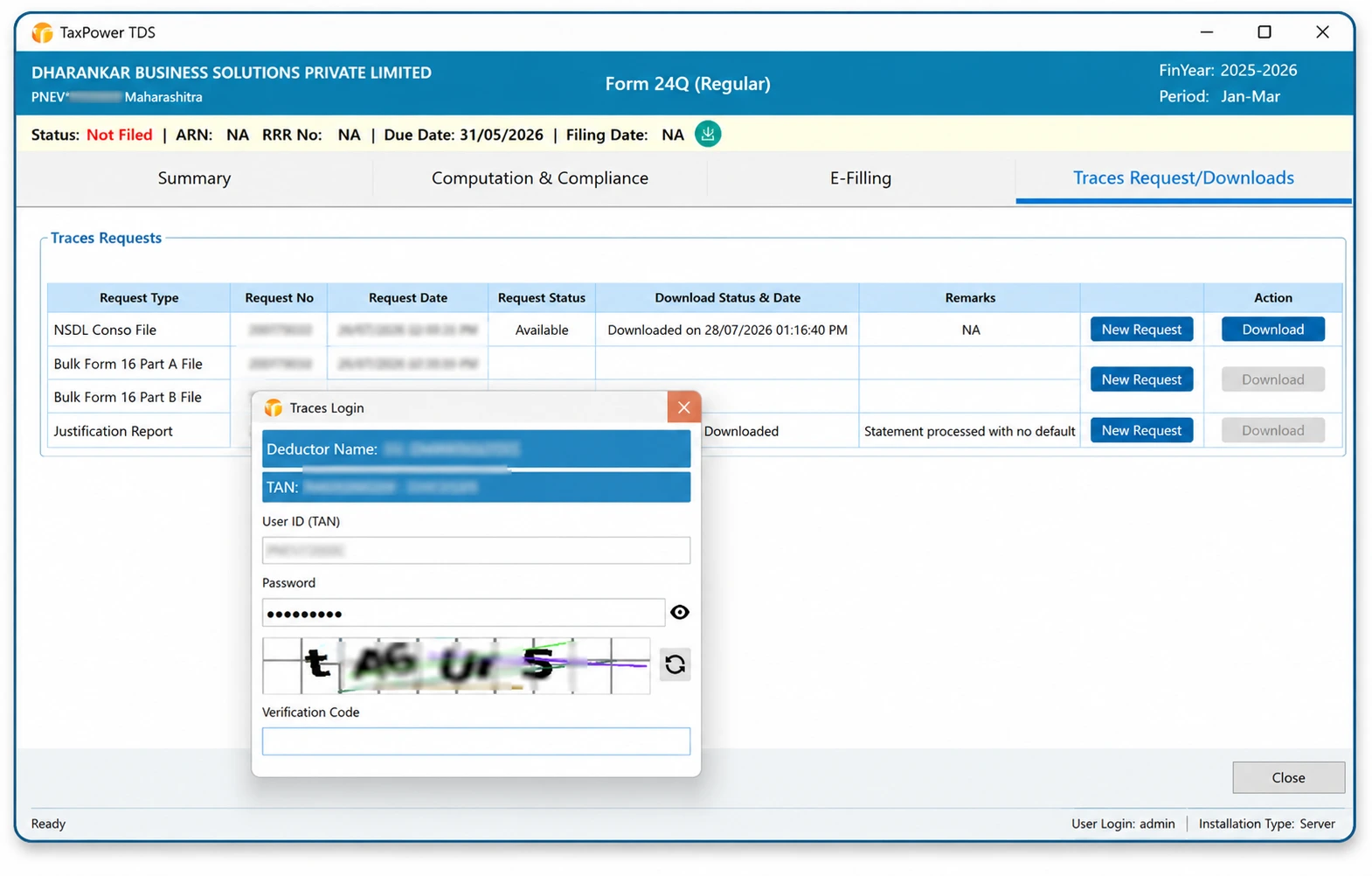
TRACES request and download workflow
TaxPower TDS runs on Microsoft Windows and can be configured for standalone or multi-user use.
Install the software on a standalone Windows system or a configured server suitable for the organisation’s setup.
Add separately licensed client PCs according to the organisation’s working requirements.
Licensed client PCs can access the configured setup through LAN, WAN, VPN or a customer-managed Windows VPS.
Core TaxPower TDS data is stored on the PostgreSQL Server configured for the organisation’s installation. A configurable backup path can be maintained according to the implemented setup.
Internet connectivity is required for portal-linked workflows, activation, verification and applicable online services.
TaxPower TDS supports organisation and TAN-wise working across applicable financial years and return periods. Use available reports and registers to review deductor, deductee, challan and return information.
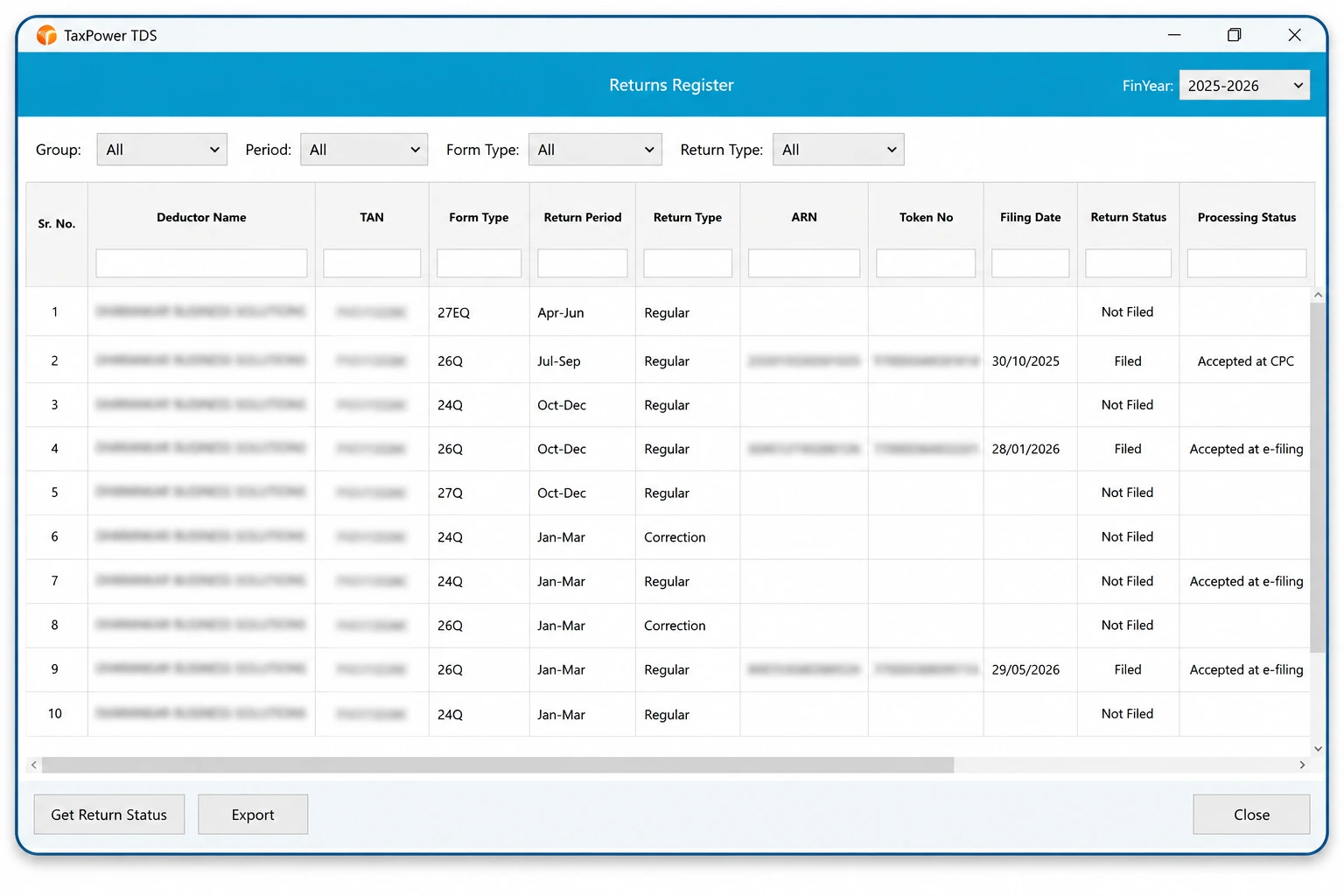
Returns register and filing status
Organisations can begin with a focused 90-day assisted trial on one supported Windows PC for one user, using up to 3 TANs to evaluate the Corporate Edition workflow.
The trial is installed and configured with support from the TaxPower team.
After the trial period ends, trial access stops and the user is prompted to contact TaxPower regarding continuation and licensing.
For ongoing use, the licensed setup can be configured according to the organisation’s standalone or multi-user requirements.
Assisted evaluation period.
Evaluate with a limited working set.
Installation and onboarding support.
Use the trial to evaluate the Corporate Edition workflow with assisted setup and onboarding.
Initial installation
₹7,000 + GST
Financial-year renewal
₹3,500 + GST
Additional client PC
₹1,000 + GST
Additional client-PC licences can be added according to organisational requirements.
Prices are uniform across India. GST is additional. Online onboarding and training are included. Product updates and support continue with the applicable financial-year renewal.
Corporate Edition pricing: intended for companies and organisations managing their own TDS/TCS compliance. The applicable edition is confirmed according to the actual customer and usage category before quotation and licence activation.
TaxPower TDS is developed by Magnum Infosystem and marketed, implemented, trained and supported by Dharankar Business Solutions Pvt Ltd.
Dharankar Business Solutions Pvt Ltd is the primary customer-facing entity for:
Users remain responsible for reviewing return data and completing the required portal authentication before submission.
Corporate Edition is intended for companies, LLPs, organisations and internal finance, accounts or payroll teams managing their own TDS/TCS work.
Yes. TaxPower TDS supports employee salary computation for Form 24Q, including salary components, applicable exemptions, Chapter VI-A deductions and TDS liability under the selected Old or New Tax Regime.
Yes. TaxPower TDS Corporate Edition can manage unlimited TANs within the licensed installation.
Yes. It supports regular returns and supported correction-return workflows for the applicable financial year and return framework.
Yes. Users can select the relevant earlier financial year and work with the supported return or correction workflow available for that period.
Yes. Separately licensed client PCs can access the configured licensed setup through LAN, WAN, VPN or a customer-managed Windows VPS where applicable.
Supported workflows may include bulk PAN verification, outstanding demands, challan details, the TRACES inbox, NSDL Conso files, Justification Reports and applicable bulk certificate files.
The assisted trial includes installation, PostgreSQL and component setup, registration, email and mobile OTP verification, onboarding and evaluation for up to 3 TANs. It is installed on one supported Windows PC for focused evaluation by one user.
The initial installation is ₹7,000 plus GST, the financial-year renewal is ₹3,500 plus GST and each additional client PC is ₹1,000 plus GST.
Core TaxPower TDS data is stored on the PostgreSQL Server configured for the organisation’s installation. Internet connectivity is required for portal-linked workflows.
See how TaxPower TDS Corporate Edition can support employee salary and vendor deductions, regular and correction returns, validations, challans and TRACES-related workflows within your organisation.
Begin with a focused 90-day assisted trial on one supported Windows PC for one user, with up to 3 TANs.
Assisted installation, online onboarding and training are included.