TaxPower TDS 90-Day Trial
Evaluate Professional or Corporate Edition for up to 90 days and 3 TANs, with assisted installation, activation and onboarding on one supported Windows PC.
One-PC focused evaluation with assisted setup.
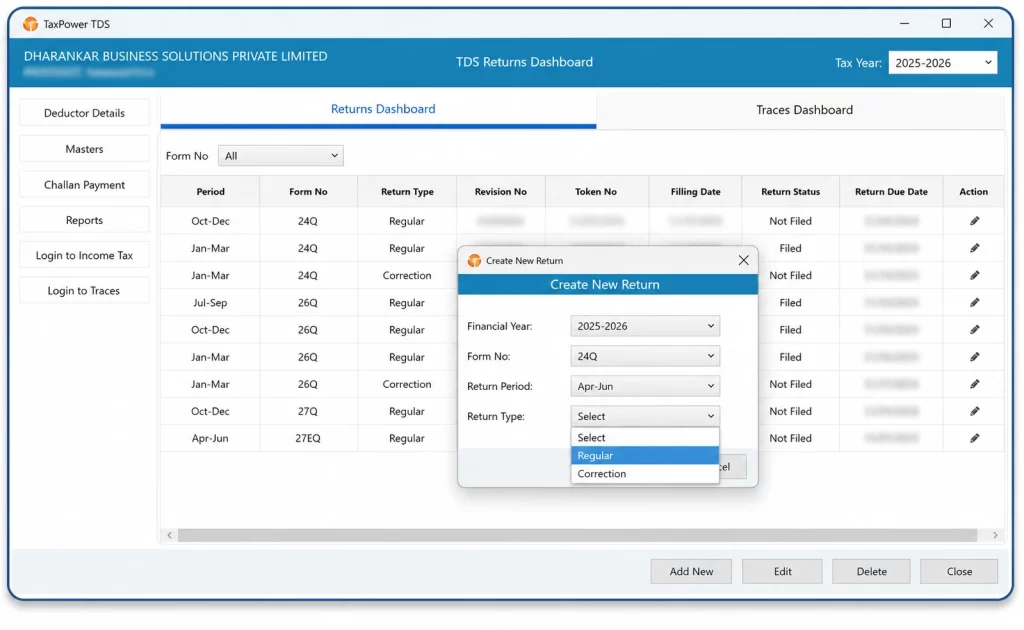
A focused evaluation period to understand how TaxPower TDS fits your workflow.
Use up to 3 TANs during the assisted trial evaluation.
Installation, activation and onboarding are supported by the TaxPower team.
The trial is available for both editions. Choose according to whether you manage TDS/TCS for external clients or for your own organisation.
For professionals managing TDS/TCS work for multiple clients.
For Chartered Accountants, tax practitioners, TDS consultants and compliance firms handling multiple clients and TANs.
For organisations managing their own TDS/TCS compliance.
For companies, organisations and internal finance, accounts or payroll teams managing employee, vendor and related TDS/TCS work.
If you are unsure which edition fits your requirement, the TaxPower team can help you select the appropriate edition before trial installation.
Your trial is configured on one supported Windows PC for focused evaluation by one user, with up to 3 TANs.
Assisted installation of the applicable Professional or Corporate Edition.
PostgreSQL and the required supporting components are configured for the trial setup.
Your organisation or firm and contact details are registered for trial activation.
Email OTP and mobile OTP verification form part of the activation process.
The software is activated for the approved assisted evaluation period.
Evaluate the selected edition with up to 3 TANs.
Online onboarding and training assistance are available for supported workflows.
The remaining trial period is displayed within TaxPower TDS.
Share the basic information needed to understand your evaluation requirement.
Confirm the firm or organisation and contact details used for trial registration.
Choose Professional Edition, Corporate Edition or ask the TaxPower team to help you decide.
The TaxPower team assists with installation and setup on one supported Windows PC.
Complete email and mobile OTP verification and activate the trial.
Start evaluating the relevant TaxPower TDS workflows with up to 3 TANs.
Online onboarding and training assistance are available during the evaluation process.
Use the focused trial environment to understand how the selected edition supports your practical TDS/TCS workflow.
Specific correction requirements can be reviewed with the TaxPower team during trial setup.
Actual challan payment is completed by the user on the official Income Tax portal.
The assisted trial is configured on one supported Windows PC so you can evaluate the core TaxPower TDS workflow with up to 3 TANs in a controlled working environment.
The licensed edition can be configured for standalone or multi-user working with separately licensed client PCs according to your office or organisation’s requirements.
TaxPower TDS is Microsoft Windows desktop software. The assisted trial is installed on one supported Windows PC with PostgreSQL and the required components.
UP TO 90 DAYS
The trial remains active for up to 90 days, with the remaining trial period displayed in the software. After the trial period ends, trial access stops and the user is prompted to contact TaxPower regarding continuation and licensing.
The TaxPower team can then help confirm the suitable edition and licensed setup for your ongoing requirements.
Tell us whether you are evaluating TaxPower TDS for a professional practice or for your own organisation.
Share your contact details and preferred edition. The TaxPower team will use this information to coordinate the assisted trial setup.
Professional Edition: for professionals managing multiple clients and TANs.
Corporate Edition: for organisations managing their own TDS/TCS compliance.
The assisted TaxPower TDS trial remains active for up to 90 days.
You can evaluate TaxPower TDS with up to 3 TANs during the trial.
Yes. The TaxPower team assists with TaxPower TDS installation, PostgreSQL and required component setup, verification and activation.
Choose Professional Edition if you manage TDS/TCS for multiple external clients. Choose Corporate Edition if your company or organisation manages its own TDS/TCS compliance. If you are unsure, the TaxPower team can help you choose.
The assisted trial is installed on one supported Windows PC for focused evaluation by one user, with up to 3 TANs. If your office or organisation later requires multi-user working, the licensed setup can be expanded through separately licensed client PCs according to your requirements.
Yes. TaxPower TDS is Microsoft Windows desktop software and the assisted trial is installed in a supported Windows environment.
Online onboarding and training assistance are available as part of the assisted trial setup.
After the trial period ends, trial access stops and the user is prompted to contact TaxPower regarding continuation and licensing.
Begin with a focused 90-day assisted evaluation, understand how TaxPower TDS fits your workflow, and choose the licensed setup that fits your ongoing requirements when you are ready to continue.
Assisted setup and onboarding for a focused TaxPower TDS evaluation.